A website for municipal and government surplus auction offices that presents public sales clearly and keeps a public compliance record
A municipal surplus auction website earns its keep by making a public sale easy to find, easy to read the terms of, and easy to document, since these sales usually answer to a public records or procurement requirement.
- 8pages built for you
- 7 daysto launch
- 5 / morevisions included
The problem
What usually goes wrong for municipal and government surplus auction offices
- 01
Surplus vehicle, equipment and property listings are posted as a single PDF that is hard to search and not mobile friendly.
- 02
Terms around registration, payment and pickup for a public sale are not clearly separated from the listings themselves.
- 03
There is no public archive of past sales and results for transparency or procurement records.
- 04
Departments across the municipality each post surplus separately, with no single page residents or bidders can check.
The build
The pages your site will carry
- 01Home with active public surplus sales
- 02Sale catalog by department and category
- 03Terms of sale and eligibility to bid
- 04Registration for public bidders
- 05Pickup, title and payment terms
- 06Past sale results and public archive
- 07Department contacts
- 08Accessibility and public notice information
Not part of the build
- Procurement, disposal or records-retention advice.
- Running the auction platform your jurisdiction contracts with.
- Taking bids, holding funds or giving auction, licensing or legal advice.
Configured for you
Department and category catalog
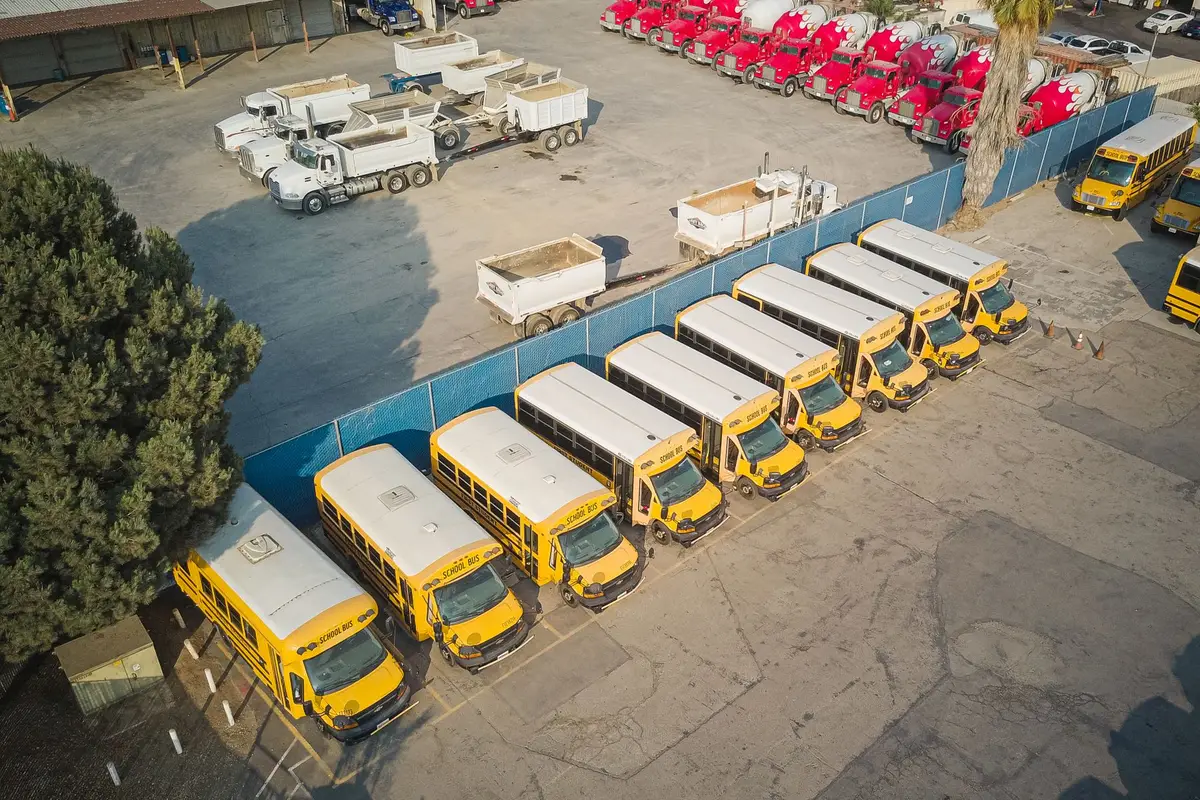
A catalog page organized by municipal department and item category, built so a single site can carry vehicles, equipment and property from every office running a surplus sale.
After launch
What this looks like once it is live
- 90+ PageSpeed, checked as part of the build, so catalog pages hold up under a closing-sale traffic spike.
- 5 revisions a month included, so the site keeps pace with municipal surplus auctions as your sale calendar changes.
- A client portal from the day the site goes live, for revisions, support tickets and files, in one place.
From the sale room
What municipal surplus auctions say about the switch
We shut at five-thirty. The auction consignments inquiries do not, and now the website copes with that. The form captures what a callback needs and says clearly that a person replies in working hours. Nobody mistakes an automated acknowledgment for an answer, which matters to us.
Wilfred ChadwickOperations coordinator, commercial surplus auction companyChandler, AZ Got, on Paddle After-hours inquiry capture for auction consignments
Honestly, the redesign was nice, but the inquiry form is what changed our day-to-day. Every submission arrives with asset category, collection area and proposed sale date filled in, which used to take us a second email to obtain. Most mornings I can prepare for the callback from the first message alone.
Michael WilloughbyOffice manager, machinery and plant auction houseChandler, AZ Got, on Paddle Inquiry form and response workflow for auction consignments
Case studies
Builds for sale rooms like yours
Each one names the kind of auction house, where it sells, what we built, how long it took and what the team noticed afterwards. Business names stay private.
After you order
How your site goes from order to first sale
No mystery between paying and launching. This is the whole sequence, with what you do and what we do at each step.
- 01Day 0
You start a plan
You: Pay the first monthly invoice.
We: Nothing else is charged. The $697 build fee does not exist yet.
- 02Same day
The onboarding form
You: About 15 minutes: your sale types, registration process, brand, domain and where inquiries should go.
We: Missing something? Submit anyway. The rest can follow by email or portal ticket.
- 03Booked within a working day
One onboarding call
You: Walk us through how a sale runs, start to settlement.
We: We reach out within one working day to book it, fill the gaps and agree the launch date. The launch clock starts on this call.
- 047 to 15 days
We build it
You: Review the site on a preview link and ask for changes.
We: 7 days on Paddle, 10 days on Rostrum, 15 days on Block.
- 05Launch day
The site goes live
You: Approve it. Only then is the build fee invoiced.
We: We point the domain, put redirects live, check speed and schema, and open your client portal.
- 06Every week after
We keep it current
You: Send new sales and changes from the portal.
We: 5 revisions a month within 2 to 5 working days each, researched articles published, results archived.
Plans
Three ways to run it
- 01PaddleThe website, fully managedLive in 7 days
- 02RostrumEverything, plus the AI EngineLive in 10 days
- 03BlockEverything, plus the Content EngineLive in 15 days
Questions from municipal and government surplus auction offices
Can multiple departments post to the same site?
Yes, the catalog is organized by department and category so several municipal offices can list surplus items on one public site without their sales getting mixed together.
Can the site keep a public archive for compliance?
Yes, a past results archive is a standard page, useful where a public records or procurement policy expects sale outcomes to stay available.
Does the site handle the actual bidding and payment?
No, bid submission and payment run through your municipal or third-party auction platform. The website presents listings, terms and eligibility and links to that platform for the bid itself.
Can the site meet public accessibility expectations?
The site is built to be usable with a keyboard and a screen reader and carries an on-page accessibility toolbar, which supports the accessibility expectations many public sites are held to.
Can the site keep results available for public records?
Yes. A results archive keeps closed sales visible after each sale. What your records policy requires is for your office to confirm.
Can residents find all surplus sales in one place?
Yes. One catalog carries every department's listings, organized by department and category, instead of separate PDFs per office.
Is the site built for accessibility?
Pages are built for keyboard and screen reader use with an on-page accessibility toolbar, with the Americans with Disabilities Act (ADA) in mind. It helps you meet accessibility expectations; it is not a legal certification.
Can we link to the auction platform our jurisdiction uses?
Yes. Listings link or embed the platform your office already uses for bidding and payment, so nothing changes for bidders you already have.
See it built for municipal surplus auctions
A live 30-minute walk-through, on your screen, of the site you would get. Plans from $127 a month, build fee invoiced after launch.
Book a demo