A registration page template
Built into your site design, working on any device.
Auction operations
The website
Design and build
Grow and manage
Go to
Resources
Nothing matches that. Try a sale type, or a plan name.
A bidder registration setup means a dedicated page on your own site, not a PDF or a third-party form disconnected from everything else, that collects what your sale needs and hands off cleanly to whichever bidding or payment platform confirms the paddle.
What it costs
Signs you need it
New bidders call the office to ask how to register.
Your registration form is a PDF people have to print.
Registration looks nothing like your site and loses people halfway.
Staff re-type registration details into another system.
Auction companies whose registration is still a PDF, a paper form at the door or a generic third-party form that confuses first-time bidders.
Usually fits Paddle, $127 a month. Paddle includes the registration page; Rostrum adds an assistant that walks nervous first-timers through it.
What is included
Built into your site design, working on any device.
Collecting exactly what your process needs, no more and no less.
Linking or embedding your bidding or payment platform at the confirmation step.
The same structure carried forward with updated terms, not rebuilt each time.
Built to work with a keyboard and screen reader, not just a mouse.
A registration process buried in a downloadable PDF or a generic third-party form breaks the moment a first-time bidder tries to use it on a phone. Building it as a real page on your site means it matches your design, works on any device, and can carry exactly the fields your sale needs, from contact details to payment authorization to sale-specific terms.
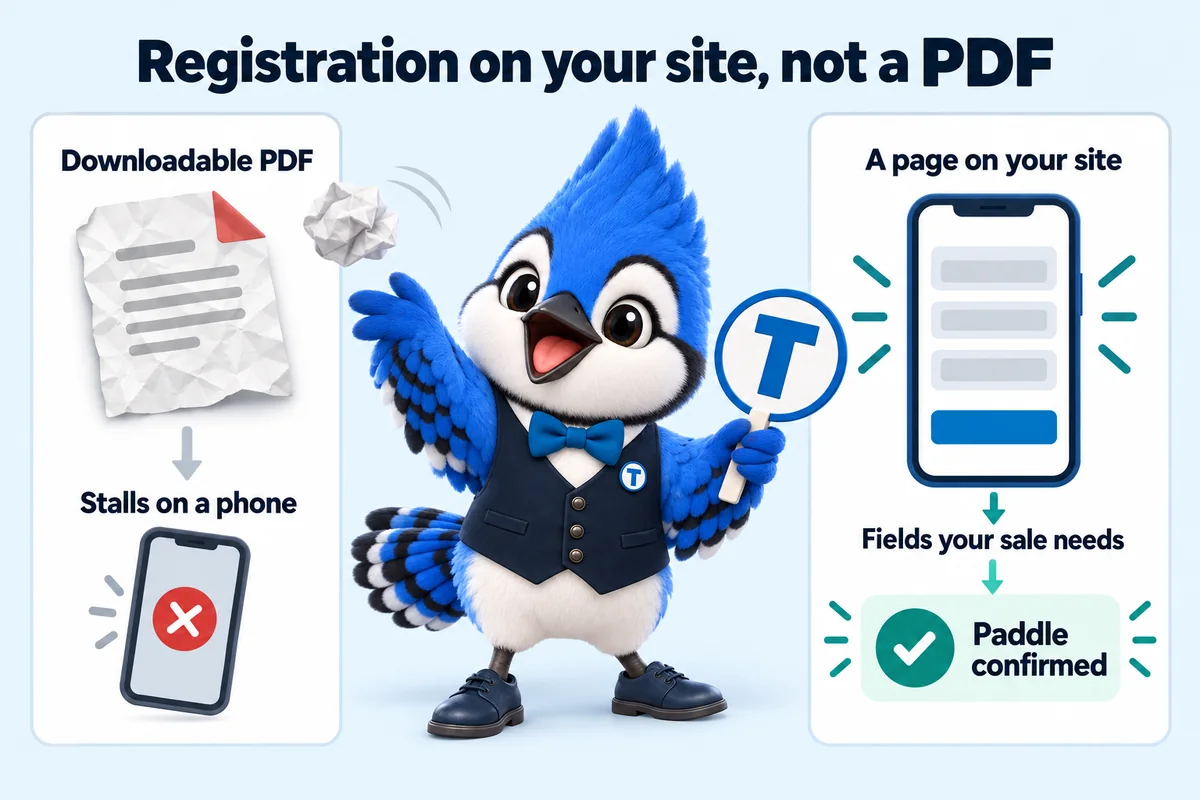
The registration page is a template, so a new sale reuses the same structure with updated terms rather than a fresh build. Adding a field, such as a buyer premium acknowledgment for a specific category, is a standard revision.
Once a bidder submits the registration page, the confirmation step links or embeds the bidding or payment platform your sale actually runs on, so the site is not trying to replace systems you already rely on, only presenting the front door to them clearly.
Said as plainly as what is. None of these is hidden in a later invoice; they are simply not part of this service.
How the work is done
From the first invoice to a live site in 7 to 15 days, then weekly upkeep. What you do and what we do at each step.
You: Pay the first monthly invoice.
We: Nothing else is charged. The $697 build fee does not exist yet.
You: About 15 minutes: your sale types, registration process, brand, domain and where inquiries should go.
We: Missing something? Submit anyway. The rest can follow by email or portal ticket.
You: Walk us through how a sale runs, start to settlement.
We: We reach out within one working day to book it, fill the gaps and agree the launch date. The launch clock starts on this call.
You: Review the site on a preview link and ask for changes.
We: 7 days on Paddle, 10 days on Rostrum, 15 days on Block.
You: Approve it. Only then is the build fee invoiced.
We: We point the domain, put redirects live, check speed and schema, and open your client portal.
You: Send new sales and changes from the portal.
We: 5 revisions a month within 2 to 5 working days each, researched articles published, results archived.
From clients
Honestly, the redesign was nice, but the inquiry form is what changed our day-to-day. Every submission arrives with asset category, collection area and proposed sale date filled in, which used to take us a second email to obtain. Most mornings I can prepare for the callback from the first message alone.
Got, on Paddle Inquiry form and response workflow for auction consignments
People used to ring just to check their auction consignments form had actually gone through. The new confirmation states what happens next and how to amend anything that needs changing. Duplicate submissions have dropped away almost completely.
Got, on Paddle Submission acknowledgment and follow-up for auction consignments
Want to see bidder registration website setup on your own sale? We show you a build for your sale type on a 30-minute call, with the plan that fits.
Book a 30-minute demoIt is part of the monthly plan, not a separate quote. The price depends on the plan, not on the size of the job: what changes between plans is the launch window, the AI Engine and the number of articles a week. The $697 build fee is invoiced only after launch.
Extra revisions beyond the 5 included each month are $20 each, never hourly.
Terms, plainly
Four terms that protect you, and one we will not hide: once money is paid, it is not refunded. That is exactly why the build fee waits until you have approved the finished site.
The $697 build fee is invoiced only once your site is live and you have approved it. On orders placed on or before December 31, 2026 it is waived entirely.
A guaranteed standard on the pages we build and host, checked as part of every build, on every plan. Speed is never an upsell.
Cancel by email at least 2 business days before your next invoice date, counted in business hours (9 a.m. to 5 p.m. Central, Monday to Friday). Your site runs to the end of the month you paid for.
Registered in your name from day one, and transferred wherever you tell us, free, if you leave.
All sales are final. Monthly fees, the build fee and extra revisions are not refunded, including for a month you did not use. The one exception is a duplicate or incorrect charge on our side: tell us within 30 days and we correct it within 10 working days. Read the refund policy.
Standards
Confirmation typically happens through your bidding platform once registration is submitted; the website presents the front-end page and hands off to that platform for confirmation.
The page can be built to collect what your process requires and route it to your payment or bidding platform; the actual authorization is handled by that platform.
Yes, and adding or adjusting fields for a specific sale type is a standard revision.
Yes, it is built mobile-first since many bidders register from a phone.
Only what your sale needs: contact details, any payment authorization your process requires, acceptance of your terms of sale and anything specific to the sale type. Fewer fields means fewer people giving up on a phone.
Yes. The page collects what your process needs and hands off to your bidding or payment platform, which confirms the paddle number.
Yes. Registration and inquiry forms can route into your CRM by API, Zapier or Make, set up during onboarding.
If you want to text bidders, the form can carry consent wording written with the Telephone Consumer Protection Act (TCPA) in mind. Have your attorney confirm the wording for your business.
Case studies
Each one names the kind of auction house, where it sells, what we built, how long it took and what the team noticed afterwards. Business names stay private.
A live walk-through of the site you would get, in about 30 minutes. Plans from $127 a month, the $697 build fee invoiced only after launch, domain and hosting included.
Book a demoOr email and a person replies within one working day.
BidWebStudio uses the cookies below. Necessary cookies keep the site working and cannot be turned off.
Saved on this device only. Press Esc to close.